
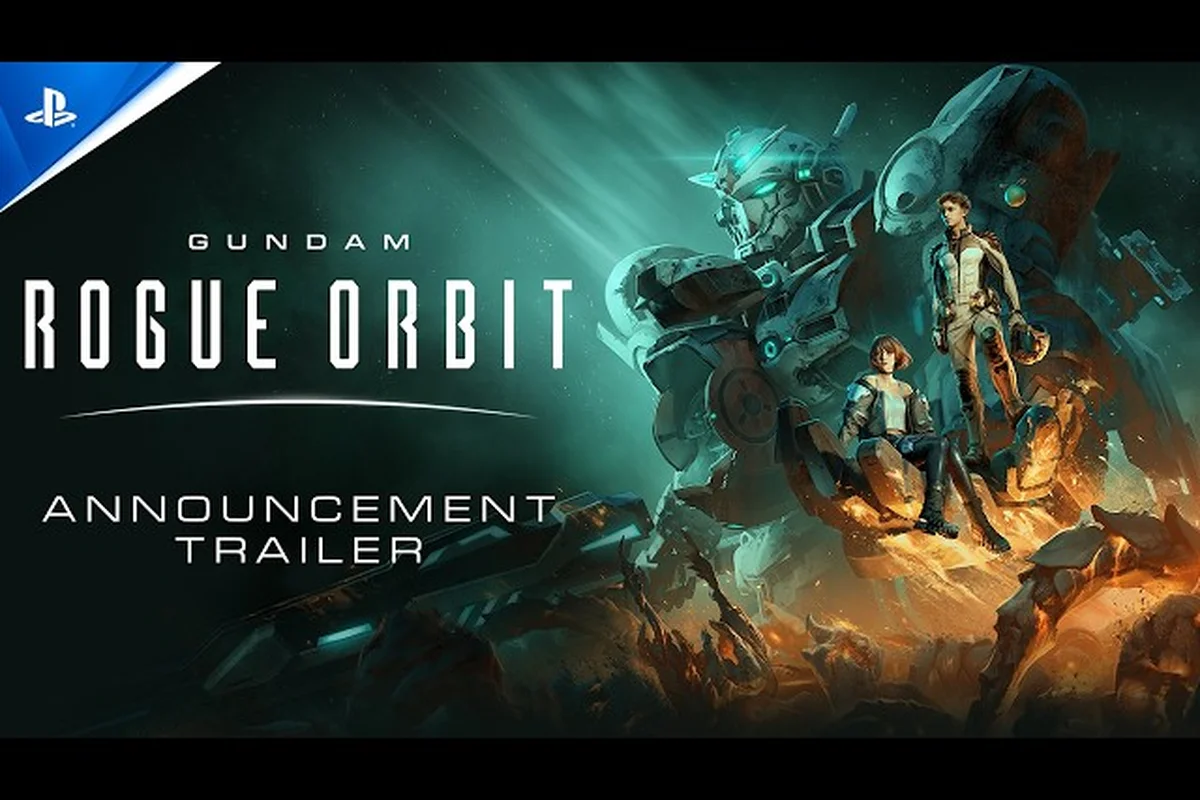
Color is the loudest stat in any hangar screenshot, and GUNDAM ROGUE ORBIT custom colors give pilots a way to turn every sortie into a personal statement. The March 5, 2027 launch from Bandai Namco Studios ships with a layered color system, a pre-order Earth Blue bonus, and a Deluxe Edition mobile suit color pack that unlocks dozens of paint jobs the moment you boot up. Whether you want a single sharp paint job for the Gundam Helix or a full roster of coordinated colorways, understanding how GUNDAM ROGUE ORBIT color customization works saves hours of trial and error in the menu.
GUNDAM ROGUE ORBIT Color System Overview
The GUNDAM ROGUE ORBIT color customization menu is split into two parallel tracks: a structural coat layer that controls base metal, armor, and trim, and a secondary detail layer that drives accents, emblems, and weathering. Both tracks feed off the same preset color library, so swapping a hue in one slot updates matching panels across the entire suit without redoing the loadout manually.
According to the official GUNDAM ROGUE ORBIT website, the launch build includes a Standard Coat Set, a Deluxe Mobile Suit Color Pack, and a Premium MOD Skins Set that adds branded overlays for the modular frame. Each pack drops into a separate loadout slot, which means pilots can mix and match across tiers without rebuying duplicate palettes.
Where Color Lives in the Build Pipeline
The customization menu sits between the hangar and mission select, and it is the only screen that reads the Color Pack entitlement from your account, which is why logging into the hangar before opening Customize prevents the "entitlement not found" error that some pilots hit after client crashes. The Color Loadout submenu parses the pack manifest in real time, so a freshly purchased Color Pack from the store becomes selectable without restarting the client, and the flow below reflects that order of operations.
-
Open the hangar and select the mobile suit (default is ARK-10 GUNDAM HELIX).
-
Enter Customize then choose Color Loadout to access base, accent, and emblem slots.
-
Apply any unlocked Color Pack preset, fine-tune with the HSV picker, then save to a named color scheme.
-
Bind the saved scheme to a loadout slot so the suit paints itself automatically before deployment.
This pipeline matters because it ties a GUNDAM ROGUE ORBIT paint job to a build slot rather than to a single machine. If you swap from the Helix to a heavier frame later, the same color scheme carries over as long as that frame shares compatible panel groups. For a deeper walkthrough of the menu layout and naming conventions, the customization menu guide maps every slot and icon.
Color Pack Entitlements at Launch
| Edition | Color Content Included | Unlock Condition |
|---|---|---|
| Standard Edition | Base coat presets only | Available to all players |
| Pre-Order Bonus | Earth Blue Color Customization | Pre-order before launch |
| Deluxe Edition | Mobile Suit Color Pack + Premium MOD Skins Set | Purchase Deluxe tier |
| Launch Edition | Earth Blue + reversible cover art | Select retailer exclusives |
| Collector's Edition | Earth Blue + 1/144 ARK-10 GUNDAM HELIX EARTH BLUE Ver. model kit | Physical collector stock |
Every pack stacks with the others rather than replacing them, so a Deluxe pre-order effectively receives Earth Blue, the Mobile Suit Color Pack, and the Premium MOD Skins Set at the same time. The collectible model kit in the top tier is a separate physical item, but its paint pattern is also encoded into the in-game Earth Blue Color Customization preset, which is why the two editions feel coordinated.
Preset Palettes and the Earth Blue Bonus
The most visible GUNDAM ROGUE ORBIT custom colors are the preset palettes bundled with the pre-order and Deluxe tiers. The Earth Blue Color Customization preset pulls a deep cobalt base with a slate gray secondary coat and a pearl white accent, a scheme long associated with Earth Federation hero suits. It is the first preset the game recommends during the tutorial and the only palette tied to a physical collectible.
Beyond Earth Blue, the Mobile Suit Color Pack bundled with the Deluxe Edition layers in twelve additional palettes inspired by the broader Gundam timeline. The full list below reflects the palettes that surfaced in the GameSpot State of Play customization overview, which is the most recent confirmed preview of the launch color roster.
Deluxe Mobile Suit Color Pack Presets
| Preset Name | Base Coat | Accent | Best Suited Frame |
|---|---|---|---|
| Earth Blue | Cobalt | Pearl White | ARK-10 GUNDAM HELIX |
| Zeon Crimson | Wine Red | Charcoal | Heavy assault frames |
| Luna Silver | Brushed Steel | Cyan | Recon scout suits |
| Desert Tan | Sand | Olive | Sand pirate loadouts |
| Charcoal Ghost | Matte Black | Gunmetal | Stealth AP-U builds |
| Coral Pink | Soft Pink | White | Support-class mobile suits |
| Aqua Marine | Teal | Gold Trim | Naval / water maps |
| Sunset Orange | Burnt Orange | Black | High-visibility assault |
| Forest Hunter | Olive Green | Tan | Jungle terrain missions |
| Royal Violet | Deep Purple | Silver | Elite / boss fights |
| Snow Drift | Off-White | Ice Blue | Cold-climate sorties |
| Acid Lime | Bright Green | Black | Training / PvP lobbies |
Each preset can be split into individual HSV values, which means a player can take the Earth Blue base, swap the accent to gold, and save a private colorway without losing the original preset. This split-and-save flow is the heart of any GUNDAM ROGUE ORBIT paint job that goes beyond the stock look.
Players who want a more granular look at the Earth Blue unlock path can read the Earth Blue color guide, which traces how the pre-order bonus ties to the physical collector model.
Premium MOD Skins and Branded Overlay Options
The Premium MOD Skins Set lives in a different menu tab from the standard palettes, because it acts as a finish layer rather than a base color. Where the Mobile Suit Color Pack changes the underlying coat, the Premium MOD Skins Set paints stylized overlays on top: tiger stripes, faction crests, hazard chevrons, and weathered metal patterns. It is the closest thing GUNDAM ROGUE ORBIT offers to a "skin" in the traditional free-to-play sense, and it is a major reason the Deluxe Edition stands out from the Standard Edition.
The Premium MOD Skins Set is also where branded collab overlays appear. According to community data posted on the r/GundamRogueOrbit subreddit, early event teasers hint at overlay skins tied to anniversary suits and limited seasonal missions, although Bandai Namco has not confirmed a live-service skin roadmap. Treat any community report about future skins as speculative until the official site updates.
MOD Skin Layer Cheat Sheet
| Layer Slot | What It Controls | Stackable? | Reset on Frame Swap? |
|---|---|---|---|
| Base Coat | Main armor color from any pack | Yes | No |
| Secondary Coat | Inner frame, joints, vents | Yes | No |
| Emblem | Chest / shoulder insignia | Yes | No |
| Premium Overlay | Branded graphic, weathering | Yes (one per slot) | No |
| Damage Finish | Scuff, soot, battle-wear | Yes (one per slot) | No |
Because the layers are independent, a GUNDAM ROGUE ORBIT paint job can stack a preset base, a custom accent, an emblem, and a Premium overlay without any of them overwriting each other. That separation also makes it easy to reuse a premium overlay across multiple color schemes, which is the recommended workflow for pilots who rotate between a few signature looks.
For pilots who want to see how these overlays interact with AP-U equipment and weapon skins, the premium mod skins loadout guide walks through the equipment side of the equation.
Build Integration: Color Choices and Combat Readability
Color is not just cosmetic. In a high-mobility mecha action game like GUNDAM ROGUE ORBIT, suit color directly affects how visible you are in co-op, how recognizable your team is during orbital combat, and how clean your screenshots look when a loadout screen-capture ends up on social media. Choosing a GUNDAM ROGUE ORBIT build guide that includes color recommendations saves you from picking a paint job that works against the rest of your build.
There are three readability buckets most pilots settle into once they start mixing GUNDAM ROGUE ORBIT custom colors, each shaped by how contrast, base coat, and accent stripe interact against the most common background palettes the game throws at you during co-op orbital combat. Choosing your bucket early lets a GUNDAM ROGUE ORBIT build guide lock in a paint job preset before frame and weapon tuning, so visual identity and combat readability reinforce each other instead of fighting for attention on screen.
-
High Contrast — a dark base coat with a bright accent, which is what the Charcoal Ghost and Acid Lime presets deliver. Best for solo runs where the suit needs to stand out against planetary backgrounds.
-
Tonal — base and accent sit close on the color wheel, which produces a sleek military look. Luna Silver and Snow Drift fall into this bucket and pair well with recon or scout roles.
-
Heritage — palette pulled from a specific faction or era, such as Earth Blue or Zeon Crimson. Heritage palettes are the strongest choice for lore-first pilots and for the physical collector model kit, which mirrors the in-game Earth Blue preset.
The table below pairs each readability tier with a recommended frame and a matching GUNDAM ROGUE ORBIT paint job preset, so a build guide can lock in a visual identity alongside frame selection rather than treating color as an afterthought once stats are finalized; a Tier 1 frame like the GM Ground Type, for instance, reads cleanly with a High Contrast Charcoal Ghost base because the dark panels contrast against the frame's lighter armor seams, while the same frame under a Tonal Luna Silver preset tends to wash out in co-op orbital maps and is better reserved for solo reconnaissance loadouts where visual signature matters less than the recon frame's sensor passive.
Color and Build Pairings
| Readability Tier | Recommended Frame | Preset Palette | Combat Role |
|---|---|---|---|
| High Contrast | ARK-10 GUNDAM HELIX | Charcoal Ghost + Acid Lime accent | Solo / PvP duels |
| Tonal | Recon-class scout | Luna Silver + Aqua Marine accent | Flanking, scouting |
| Heritage | Earth Federation frame | Earth Blue + Royal Violet accent | Story-mode immersion |
| Lore | Zeon-coded frame | Zeon Crimson + Sunset Orange accent | Faction-flavored loadouts |
| Stealth | Stealth AP-U | Forest Hunter + Desert Tan accent | Co-op infiltration |
Pilots who treat color as a build layer tend to bind each scheme to a loadout slot, which keeps the visual identity tied to the role. A Stealth AP-U always paints Forest Hunter, while a hero Helix always carries Earth Blue, which means the team reads the roster from across the map without consulting a menu. For a wider look at how color choices line up with mobile suit tiers, the mobile suit roster guide catalogs the available frames and the palettes that read best on each one.
Practical Color Customization Workflow
A clean GUNDAM ROGUE ORBIT color customization workflow is part of any GUNDAM ROGUE ORBIT build guide, because the difference between a stock-looking hangar and a curated one comes down to a small number of repeatable steps. The flow below assumes the player has already unlocked the Earth Blue pre-order preset, the Mobile Suit Color Pack, and the Premium MOD Skins Set.
Step-by-Step Paint Job Setup
-
Lock the role first. Decide whether the loadout is solo, co-op DPS, or support, then pick a readability tier that matches the role.
-
Pick a base preset. Open the Color Loadout menu, choose a base from the Mobile Suit Color Pack list, and apply it. The base defines how the suit reads at a distance, so it should match the readability tier.
-
Tune the secondary coat. Use the HSV picker to nudge the secondary toward a complementary hue, keeping saturation under 60% to avoid clashing with the base.
-
Add a Premium overlay. Switch to the Premium MOD Skins Set tab and apply one branded overlay. Hazard chevrons work for assault frames, while weathering works for veteran loadouts.
-
Save the scheme. Name the scheme after its role, such as
Co-op_Earth_Blue_v1, and bind it to a loadout slot. Repeat for each role you rotate through.
The biggest mistake pilots make is tuning color before locking the role, which leads to three or four half-finished schemes and one default look. Reverse the order — role, base, accent, overlay, save — and the hangar stays clean from the first session.
Common Color Pitfalls to Avoid
-
Clashing saturation. Two highly saturated coats fight for attention, which makes the suit look noisy in screenshots. Pull saturation on the secondary coat below 60% to keep the base dominant.
-
Emblem drift. Switching frames can hide the chest emblem behind new armor geometry, so recheck the emblem slot after every frame swap. A hidden emblem wastes the only place a faction crest reads cleanly.
-
Overlay overload. Stacking two Premium overlays on the same loadout doubles the visual noise without adding identity. One overlay per suit is the sweet spot, and it preserves the underlying base coat detail.
-
Weathering at the wrong tier. Damage finishes look great on veteran frames, but they dull the bright Earth Blue and Acid Lime palettes. Save weathering for desaturated or tonal schemes where scuffs read as texture rather than grime.
Working through these pitfalls once means the second paint job takes about half the time, because the menu memory builds quickly and the HSV picker becomes muscle memory. The real shortcut is naming a custom color slot in the Mobile Suit Color Pack loadout, so you can recall a saved base coat, overlay, and emblem preset instead of rebuilding them from scratch each session. Players who maintain a dedicated "scratch" preset for testing new Premium Mod Skins combinations cut their iteration loop even further, since they can A/B compare a bold accent against a tonal scheme without re-rolling the entire palette.
Frequently Asked Questions
What is included in the GUNDAM ROGUE ORBIT Mobile Suit Color Pack?
The Mobile Suit Color Pack is a Deluxe Edition bonus that unlocks twelve preset palettes on top of the base coat set, including Zeon Crimson, Luna Silver, Desert Tan, and Royal Violet. Each preset is split into base, secondary, and accent slots, and all of them are stackable with the Premium MOD Skins Set overlays.
How do I unlock the Earth Blue color customization?
Pre-order any edition of GUNDAM ROGUE ORBIT before launch to receive the Earth Blue Color Customization preset as a pre-order bonus, and pick up the Collector's Edition if you also want the physical 1/144 ARK-10 GUNDAM HELIX EARTH BLUE Ver. model kit. The in-game preset is automatically applied to your account and appears in the Color Loadout menu from the first launch.
Can I create my own GUNDAM ROGUE ORBIT paint job from scratch?
Yes. Open the Color Loadout menu, pick any preset as a starting point, then use the HSV picker to tune the base, secondary, and accent independently. Save the result as a named color scheme, and the custom GUNDAM ROGUE ORBIT paint job lives alongside the official presets and can be bound to any loadout slot.
Do the Premium MOD Skins replace the standard color packs?
No. The Premium MOD Skins Set is a finish layer that sits on top of the base coat, not a replacement. You can pair any Mobile Suit Color Pack preset with any overlay, which is the recommended approach for a layered GUNDAM ROGUE ORBIT build guide that treats color as part of the loadout identity.
Which palette works best for co-op readability?
Pick a high-contrast scheme like Charcoal Ghost with an Acid Lime accent, or stay heritage with Earth Blue and a bright secondary. Both options read clearly across orbital maps where the camera pulls back, which is the range where team identification matters most.